WiFi headphones
WiFi headphones versus Bluetooth for a device that answers to your backend
WiFi headphones and Bluetooth headsets differ by addressability, not audio quality. Here is which radio suits a voice device that streams to your own endpoint.
July 25, 2026 9 min read
Somebody on the team has argued that the wearable should use Wi-Fi, somebody else has argued for Bluetooth, and both arguments have quietly been about audio quality. For a voice agent that has to reach a backend you run, audio quality is close to irrelevant, because 16 kHz mono speech is a tiny stream by any radio standard. WiFi headphones and Bluetooth headsets differ on something more basic: whether the thing on your head has an address on a network or belongs to a host device sitting next to it.
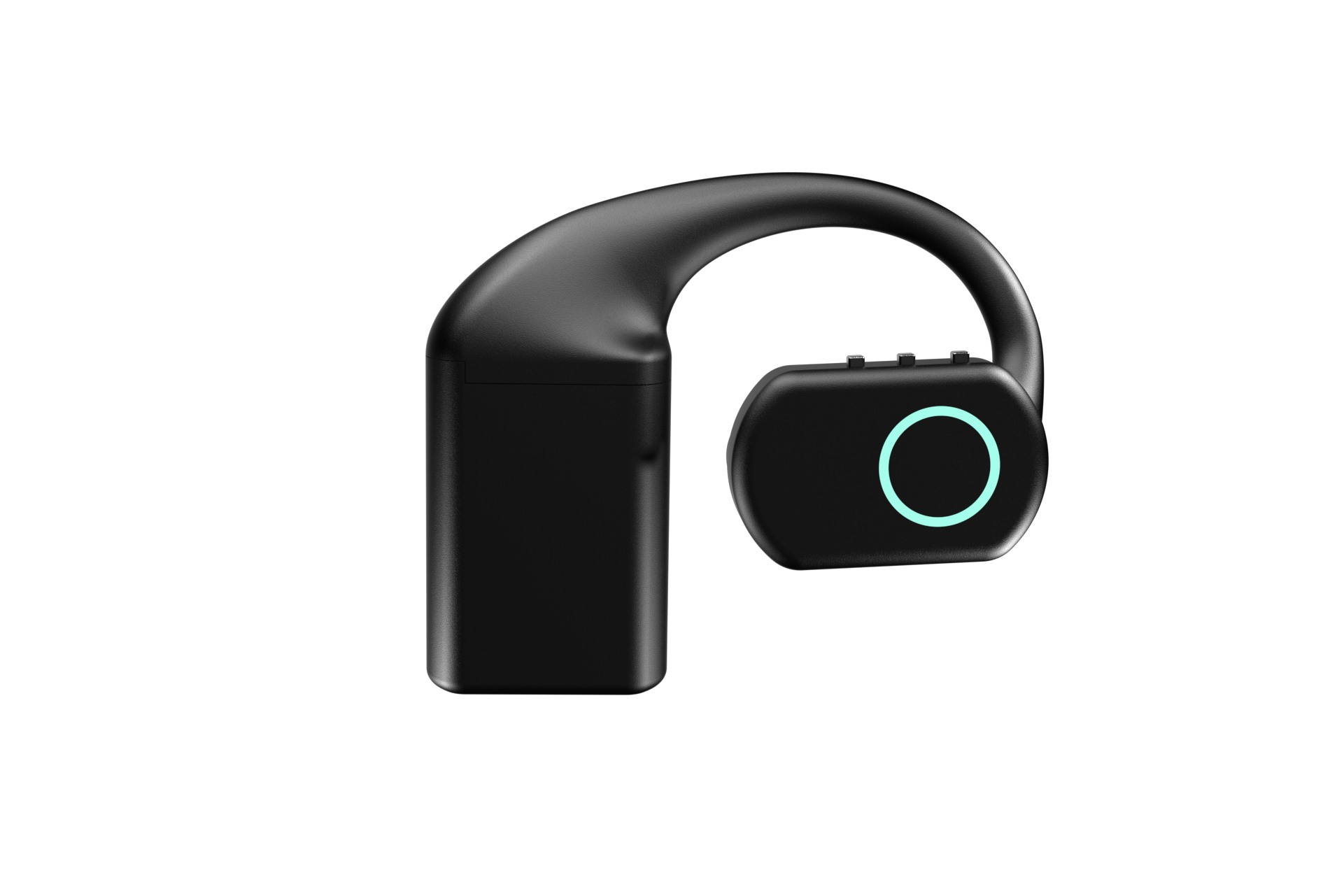
WiFi headphones is the informal name for headsets that join a wireless network in their own right rather than pairing to a single host. A networked headset can send audio to any endpoint it is configured with, while a Bluetooth headset can only hand audio to the phone or computer it is paired to.
The short version
- The real difference is addressability: a Bluetooth headset is a peripheral of one host, and a networked headset is an endpoint that can reach any server you configure.
- Bluetooth is genuinely better for a local link, drawing less power and adding less delay when the audio only has to travel a metre to a phone or laptop.
- Bluetooth 5.2 BLE is the local link on QuickComm devices, and Wi-Fi is the route to your own backend rather than a replacement for it.
- QuickComm devices use Wi-Fi 802.11 b/g/n on 2.4 GHz, which trades throughput for range and wall penetration, and 16 kHz mono PCM needs very little throughput.
- The QuickComm Earpiece is a $220 over-ear dev kit, and the $125 Bridge Node plugs into 3.5 mm and 2.5 mm two-pin jacks for sites whose audio already lives on radios and consoles.
- Neither device performs any AI, so speech to text, models and voice output all run on the backend the device streams to.
What are WiFi headphones and how do they differ from Bluetooth?
WiFi headphones join a wireless network and speak to a server, while Bluetooth headphones pair with a host and speak to that host alone. Bluetooth was designed as a cable replacement, and it is excellent at that job: pair once, keep the link short, spend almost no power. The design assumption is that something intelligent is within a few metres.
Networking changes the assumption rather than improving the audio. A device on Wi-Fi has an IP address, a route and a destination, so the intelligent part can live in a rack, in a data centre or on a laptop in another room. QuickComm, which publishes this article and builds voice AI development kits in Dubai, treats that as the whole reason the second radio exists.
The counter-narrative worth stating plainly is that WiFi headphones are not about fidelity. Marketing in the consumer category leans on bitrate and codecs, and for a voice agent that argument is noise. Speech recognition works on 16 kHz mono audio, which fits comfortably down either radio, so the interesting question is where the stream is allowed to go.
Peripheral or endpoint, the distinction that actually matters
A peripheral answers to a host, and an endpoint answers to a network, and that single sentence predicts most of what follows. A Bluetooth headset needs a phone or a computer nearby running an application that does something with the audio, which means the user has to carry that host, keep it awake and keep the application open.
An endpoint needs a network and an address. The QuickComm Earpiece joins Wi-Fi, streams to the endpoint configured from the console, and keeps doing so without the console being reachable, so the user carries a device rather than a device plus a babysitter. Nothing about that arrangement makes the audio better, and everything about it makes the deployment simpler.
Choose the radio by asking who the device is allowed to talk to, not by asking how good it sounds.
Is Bluetooth actually worse for voice AI?
No, and the fair answer is that Bluetooth wins the case it was built for. A short local link over Bluetooth draws less power than an active Wi-Fi association and adds less delay than a round trip through an access point, so a headset talking to a phone in the same pocket is the efficient design and always will be.
The honest concession follows from that. If your agent runs on the laptop or phone the user already carries, a good Bluetooth headset is cheaper, lighter on battery and quicker to respond than any networked device, and buying dev kit hardware to replace it would be a waste of money.
Bluetooth stops being sufficient at the moment the host becomes a liability. Shared devices, industrial floors, users who should not be holding a phone, and fleets where nobody wants to maintain an application on fifty handsets all point the same way. QuickComm devices carry Bluetooth 5.2 BLE as the local link and Wi-Fi as the route to your backend, which is a division of labour rather than a contest.
Why 2.4 GHz Wi-Fi rather than 5 GHz?
Because range and wall penetration matter far more than throughput for a speech stream. QuickComm devices use Wi-Fi 802.11 b/g/n on 2.4 GHz, which carries less data than 5 GHz but travels further and copes better with the concrete, plasterboard and metal that sit between a person and the nearest access point.
The trade only makes sense because the payload is small. A 24-bit codec capturing 16 kHz mono PCM produces a stream that a 2.4 GHz link handles without strain, and push to talk framing means silence is never streamed at all, so the radio is idle for most of a working day.
Loss handling matters more than raw speed once you are on a real network. The udp-v1 wire protocol is loss tolerant by design, so a dropped packet costs a fragment rather than stalling a conversation while the transport recovers, and pre-roll buffering keeps the first syllable intact when a user presses and speaks at the same moment.
How do the two radios divide the work on a dev kit?
BLE handles the local relationship and Wi-Fi handles the long one. The local link is BLE, while over Wi-Fi the device streams to whatever endpoint you configure, including a server on your own LAN if nothing should leave the building.
Provisioning uses the local path first. QR provisioning and three easy steps from the console get a device onto a network and pointed at an endpoint, with the documentation living in the console beside your account. After that the device is on its own: OTA firmware updates, remote commands and health telemetry keep a fleet manageable without putting QuickComm in the audio path.
The commercial consequence is worth naming. Because a configured device streams straight to your endpoint, there are no per-channel fees and no platform lock-in, and the running costs are the ones your own speech to text and models generate.
What about sites where the audio already lives on radios?
Those sites do not need headphones at all, networked or otherwise. Warehouses, security teams, marshalling crews and control rooms already run their voice over two-way radios, radio headsets, intercoms, PA systems, desk phones and consoles, and that equipment usually works well and is not up for replacement.
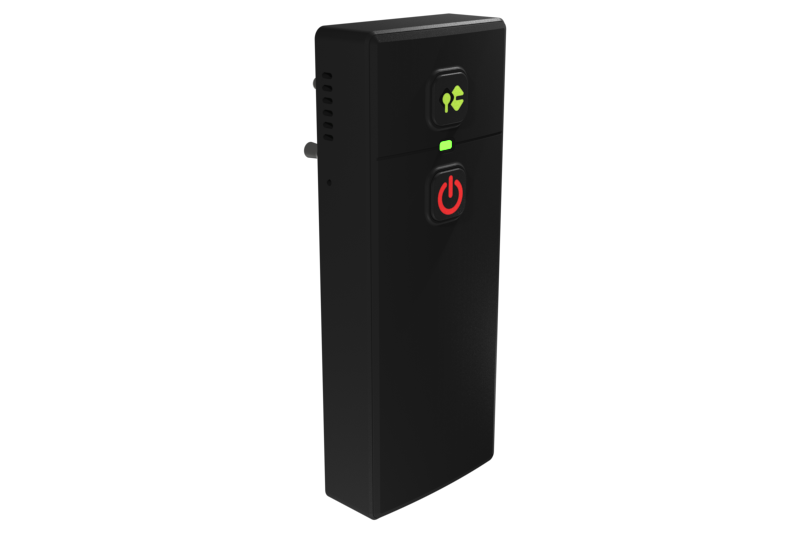
The QuickComm Bridge Node is a $125 belt-clip unit that plugs into any 3.5 mm and 2.5 mm two-pin audio jack and sits inline, so the host device keeps working exactly as before. Two-way operation means the unit has both a mic and a speaker, so your backend can listen to the channel and answer on it, and an on-device display shows what the unit is doing.
Choosing the Bridge Node over a wearable is usually a question about culture rather than technology. People who have carried the same radio for years will keep carrying it, and a bridge lets your agent join their world instead of asking them to join a new one.
What this hardware does not do
- Neither radio makes the device intelligent, because voice activity detection is the only processing that runs on board and every model runs on your backend.
- Wi-Fi is 802.11 b/g/n on 2.4 GHz only, so a site that has switched off 2.4 GHz will need it back before these devices can associate.
- Capture is 16 kHz mono PCM, which is a speech format and not a music or broadcast format.
- Audio through the Bridge Node follows the source, so a noisy radio channel arrives at your backend as a noisy radio channel.
- QuickComm publishes no ingress protection rating for any of the kits, so none should be treated as weather-rated equipment.
- The 12-month warranty excludes physical damage, and the buyer owns the backend along with its uptime and its bills.
A reader who wants a better sounding headset for music, calls or general listening should not buy any of this. Development kits exist to put speech onto a network for a backend somebody has already written, and as consumer audio they would be a poor purchase at any price.
Common questions
Do WiFi headphones sound better than Bluetooth headphones?
Not in any way that matters for a voice agent. Speech recognition models work on 16 kHz mono audio, which both radios carry comfortably, so the reason to choose a networked device is that it can stream to a server you control rather than to a paired host. Consumer fidelity arguments are about music, and voice AI hardware is not competing there.
Can a QuickComm device stream over Bluetooth to my phone instead?
Bluetooth 5.2 BLE is the local link on QuickComm devices, and Wi-Fi is the path to a configured stream endpoint. If your architecture puts the agent on a phone that is always present, a conventional Bluetooth headset is a cheaper and simpler answer, and that is a legitimate design.
Will these devices work on a network with no internet access?
Yes, provided the configured endpoint is reachable on that network. Over Wi-Fi the device streams to whatever endpoint is set, and a LAN address is valid, so a self-hosted stack inside the building keeps the whole loop local. The console matters for provisioning and firmware rather than for running conversations.
How quickly can I get one and what does it cost?
The Earpiece is $220 and the Bridge Node is $125, both built to order and shipped in 10 days worldwide, with free shipping over $2,000 and import duties paid by the buyer. Volume discounts run from 5% at 5 units to 20% at 50 or more.
Picking the radio for your build
Write down where the intelligence lives before you argue about radios, because that answer decides everything else. An agent on the user's own phone points at Bluetooth, an agent on your server points at a networked device, and an agent that has to join an existing radio channel points at a bridge.
The Earpiece and Bridge Node product pages carry the full specifications, and both are pre-flashed, built to order and covered by a 12-month warranty with physical damage excluded. If the search that brought you here was WiFi headphones, the underlying question was probably about reaching your own endpoint, and that is the question these kits were designed around.