wearable AI assistant
The hardware side of building a wearable AI assistant
Your voice agent already works on a laptop. Turning it into a wearable AI assistant means solving triggering, pre-roll capture, all day power and transport.
August 4, 2026 10 min read
The agent works. Speech goes in, a model answers, a chosen voice comes back, and every part of that happens while you sit in front of the machine running the stack. Stand up and the whole thing stops being an assistant and goes back to being a tab you left open. A wearable AI assistant is the same software with four hardware problems bolted to it.
A wearable AI assistant is a voice agent whose microphone and speaker are worn on the body, while the speech to text, the model and the text to speech carry on running on a backend the wearer owns. QuickComm publishes this article and sells the Earpiece, a development kit built for exactly that position in a stack.
The short version
- Four hardware problems separate a working laptop agent from a wearable one: knowing when you are talking to it, hearing the first syllable, lasting a working day, and moving audio to your endpoint.
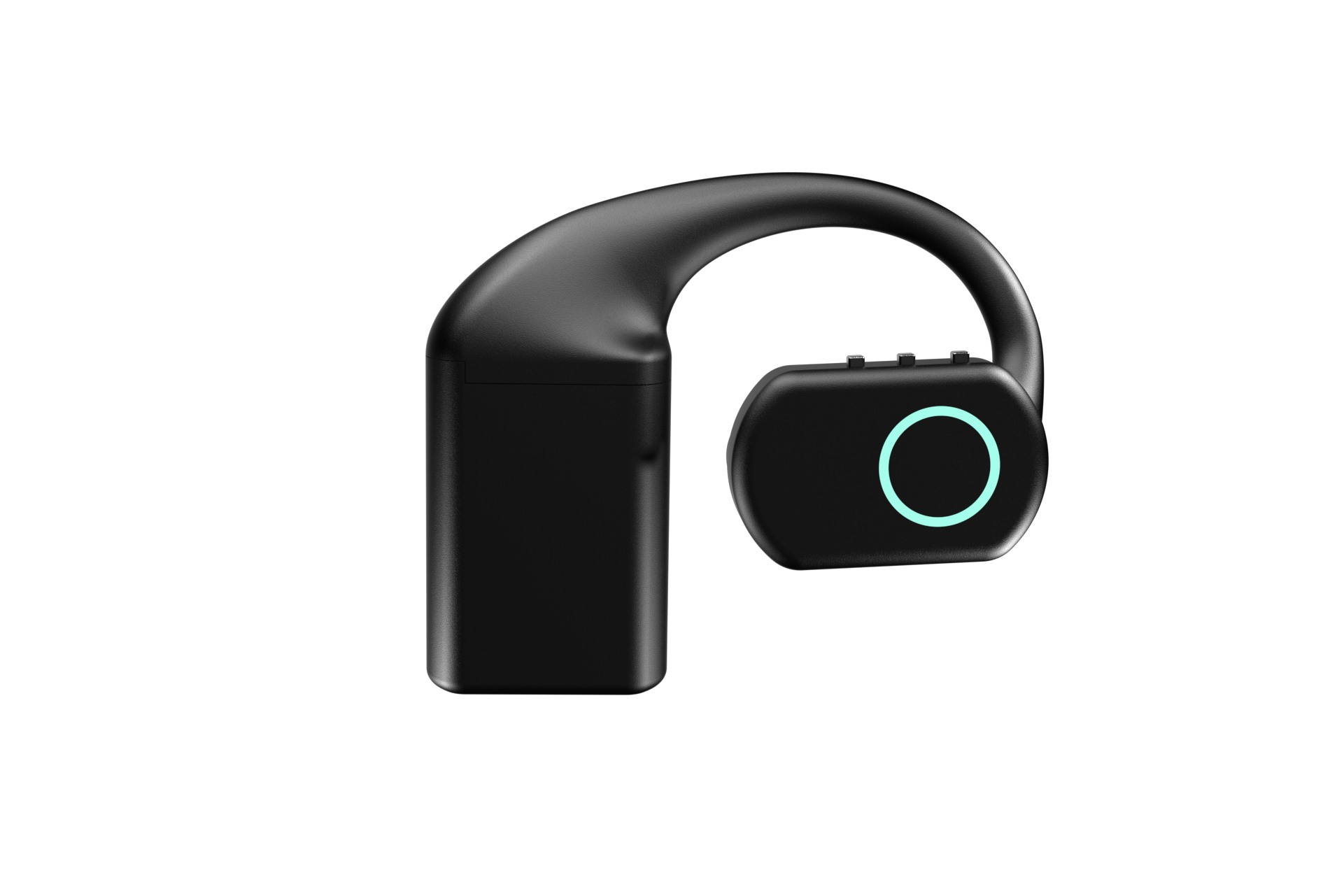
- The QuickComm Earpiece is an over-ear development kit at $220 with three physical buttons, a MEMS microphone, an integrated speaker and an RGB LED.
- Power comes from three hot-swap 700 mAh battery packs at roughly 8 hours each and roughly 24 hours combined, plus a rechargeable charging dock that holds its own charge.
- Capture is 16 kHz mono PCM through a 24-bit codec, framed by push to talk, with pre-roll buffering so the first syllable is never clipped.
- Audio streams to whatever endpoint the buyer configures, so OpenAI Realtime, Deepgram, Whisper, ElevenLabs or a local Ollama stack all sit behind the same device.
What does a wearable AI assistant have to solve that a laptop does not?
Four things the laptop was quietly handling: turn framing, the start of a sentence, power, and getting audio across a room without a cable. None of the four is a model problem, and none of them gets easier by picking a better model.
On a laptop most of the hard decisions have already been made for you. The machine is plugged in, the microphone sits half a metre from your mouth in a quiet room, a keypress frames the turn, and the operating system hands your process a clean stream. You get to think about prompts and tools because the capture layer belongs to somebody else.
Move the microphone onto a person and every one of those assumptions has to be rebuilt, in a case small enough to wear, running on a battery, with no screen and no keyboard in reach.
How should a wearable know when you are talking to it?
A physical button is the honest answer and a wake word is the expensive one. Press, speak, release: the device is not guessing whether it heard its name, so it cannot guess wrong, and the wearer always knows whether a turn is open because they are the one holding it open.
The received wisdom in voice AI says the opposite, that a wake word is the natural interface for anything hands free and a button is a step backwards. On a battery powered wearable that view is wrong. Listening continuously spends the resource you have least of, a wake word engine accurate enough to sit on a small device is a project in its own right, and getting it wrong means the assistant either ignores you or answers the television.
The QuickComm Earpiece takes the button route: three physical buttons for power, volume up and volume down, and no touch surface at all. On something worn on the head that is deliberate, because touch surfaces collect accidental input from hair, hoods and hands.
Push to talk framing has a second effect that matters more than it sounds. Silence is never streamed, so your backend only ever receives audio somebody meant to send, which keeps transcription costs tied to real speech and keeps the rest of the room out of the pipeline. Anyone who still wants a wake word can run one in their own stack, on the audio the device deliberately sends.
Capture that begins before the first syllable
Push to talk has one classic failure mode. People start speaking as they press rather than after, and the first word arrives clipped or missing entirely. In your logs that looks like a transcription problem, and the diagnosis is wrong: the audio never existed.
Pre-roll buffering fixes the problem at the capture layer. The device keeps a short rolling buffer of what the microphone just heard, and when a turn opens that buffer goes out ahead of the live audio, so the first syllable is never clipped. Every QuickComm device behaves this way by default.
Skip pre-roll and the first fortnight of testing disappears into an intent classifier that was fine all along, judged on transcripts that begin mid-word.
How much battery does a wearable AI assistant need?
Enough to still be working at five in the afternoon, which is a different engineering target from a demo and usually the one discovered late. A demo needs twenty minutes and forgives a cable.
The Earpiece ships with three hot-swap 700 mAh battery packs, roughly 8 hours each and roughly 24 hours combined, plus a rechargeable charging dock that holds its own charge. The dock matters more than the arithmetic, because a flat pack becomes a ten second swap rather than an hour tethered to a wall, and the spares charge while the third one is in use.
Be realistic about what that buys. Eight hours is a working day if the wearer remembers to swap, and the combined figure assumes the other two packs are in a pocket. Hardware does not remove the habit, only makes forgetting cheap.
Getting audio off your head and into your stack
The Earpiece captures 16 kHz mono PCM through a 24-bit codec, which is the format most speech pipelines expect at the front, so nothing needs resampling before your first stage sees it.
Locally the device connects over Bluetooth 5.2 (BLE). Over Wi-Fi it uses 802.11 b/g/n on 2.4 GHz with a loss tolerant wire protocol called udp-v1. Live voice is a poor fit for transports that stall the whole stream to retransmit one lost packet, because a dropped frame of speech is survivable and a stall is not.
The stream endpoint is configurable from the QuickComm console, so the Earpiece can point at a relay you wrote, a rented server or a machine on your own network. Once that is set the device streams straight to the endpoint and does not depend on the console to keep working, which is the property you want in something you plan to wear every day.
- On the device: microphone capture at 16 kHz mono PCM, push to talk turn framing, pre-roll buffering, on-device voice activity detection, the speaker and RGB LED, QR provisioning, over the air firmware updates, remote commands and health telemetry.
- In your stack: speech to text, any wake word, the model, memory, tools, text to speech, and every decision about which languages you support.
Feedback when there is no screen
Something worn on an ear cannot show a waveform, so the device has to say the same things another way. The Earpiece has an RGB LED and an integrated speaker, and between them they cover the three states that matter in use: whether a turn is open, whether the device is connected to the endpoint you configured, and whether what is coming back is audio or an error.
That last state is worth designing early. When a request fails somewhere in your own stack, silence in the ear is indistinguishable from a model that is thinking, and the natural human response is to press again and stack a second turn on top of the first. A short tone or a colour change costs nothing and saves a whole category of confusing logs.
What this hardware does not do
- No AI runs on the Earpiece. On-device processing stops at voice activity detection, and transcription, the model and text to speech all run on the buyer's backend.
- No ingress protection rating is claimed, so the Earpiece should not be treated as a rated wet weather or dust proof device.
- Wi-Fi is 802.11 b/g/n on 2.4 GHz only, with Bluetooth 5.2 (BLE) for local connection.
- Capture is 16 kHz mono PCM only. One microphone, one channel, and no separation of speakers at the capture layer.
- The 12-month warranty excludes physical damage, which is the likeliest failure on something worn daily, and returns run for 7 days.
- The buyer owns the backend and its uptime. How quickly an answer arrives is a property of that architecture rather than of the capture layer.
- Audio quality follows the source. A microphone near the mouth starts from a better place than one across a room, but a windy street is still a windy street.
Be honest about where the thing will actually be used before spending anything. If a wearable AI assistant would only earn its keep at a desk, a decent USB microphone plugged into the machine already running your stack is cheaper and better, and a phone in a pocket with a voice client covers a good deal of walking around at no extra cost.
Anyone hoping for a finished assistant out of the box should not order this kit. QuickComm sells to engineers, indie developers, hobbyist builders and startup teams who already run a voice stack or have every intention of writing one.
Common questions
Does the Earpiece transcribe speech on the device?
No. The QuickComm Earpiece captures 16 kHz mono PCM and streams it to a configured endpoint, and the only processing it performs locally is voice activity detection. Transcription runs on the buyer's backend, using whichever service or self-hosted model they have chosen.
Can a wake word be used instead of the button?
Yes, but in your stack rather than on the device. The Earpiece frames turns with push to talk and never streams silence, so a wake word engine on your backend would be listening to audio the wearer already chose to send. Anyone who wants a genuinely always listening wearable should look elsewhere.
Which model providers does the Earpiece work with?
All of them, because the device never talks to a model. The stream endpoint is configurable, so the audio lands on your backend and your code decides whether the next hop is OpenAI Realtime, Deepgram, a Whisper deployment, ElevenLabs for the reply, or an Ollama model running in the next room.
How long does an Earpiece take to arrive?
Every unit is built to order and ships in 10 days worldwide. Shipping is free over $2,000, the buyer pays import duties on delivery, and each kit arrives pre-flashed with QuickComm firmware so setup is a matter of provisioning rather than building.
Building on the QuickComm Earpiece
The Earpiece is a development kit and is priced as one at $220: over-ear, MEMS microphone, integrated speaker, RGB LED, three buttons, three battery packs and the charging dock, designed and engineered in Dubai and configured from the console in three steps once the provisioning code is scanned.
Support runs for the life of the device, the warranty runs 12 months and excludes physical damage, and there is a builders community on Slack where people compare notes on their own relays. If the only thing standing between your wearable AI assistant and daily use is that the assistant currently lives on a laptop, that gap is what this hardware exists to close.