local voice AI
Local voice AI: what keeping every byte of audio on your own network asks of the hardware
Local voice AI asks three things of a device: a stream endpoint you set, a BLE link that stays local, and independence after setup. Plus the bill you take on.
August 16, 2026 10 min read
Some projects have their hardest constraint written down before anyone opens an editor: no audio leaves the network. Local voice AI is the usual shorthand for that rule, and the rule is rarely ideological. A client contract, a regulator, an internal policy or a room where people say things that should not sit in somebody else's log file will each produce it. QuickComm publishes this guide because most voice hardware quietly assumes a vendor service in the middle of the path.
Local voice AI is a voice system in which capture, transport, recognition, the model and any generated speech all run on machines the operator controls, so that no audio and no transcript crosses to an external service.
The short version
- QuickComm devices are capture and transport hardware, so speech to text, wake word, the model and text to speech all run on the buyer's own machines.
- The stream endpoint is configurable from the QuickComm console and can be an address on the buyer's own LAN.
- Locally a device connects over BLE, and over Wi-Fi it streams to whatever endpoint is configured, on 802.11 b/g/n at 2.4 GHz with Bluetooth 5.2.
- Once configured, a device streams directly to the buyer's endpoint and does not depend on the console to operate.
- The QuickComm Earpiece is a $220 over-ear wearable and the QuickComm Table Top is a $90 desk or wall unit, both pre-flashed and provisioned by QR code.
- Running local means owning the uptime, the models and the storage, and a compact local model does not behave like a large hosted one.
What does a device need in order to be local-first?
Three properties, and everything beyond them is preference. Strip the marketing off any voice device and check for these before checking anything else.
- A stream endpoint the buyer sets, which can be an address on their own network rather than a vendor host.
- A local radio link for the short hop between the microphone and whatever sits nearest, so that hop never touches the internet.
- Independence after setup, meaning the device keeps streaming to the configured endpoint without checking in with anything external.
QuickComm hardware is built around those three. The stream endpoint is configurable from the console and can point at a server in your own rack. Locally the device connects over BLE. Once configured, the device streams straight to your endpoint and does not depend on the console to operate, which is the property that decides whether a network is isolated in practice or only on a diagram.
Where does the first packet of speech actually go?
Every architecture argument about local voice AI reduces to that question. If the address belongs to a vendor, no amount of encryption language changes the fact that your audio has left your control. If the address belongs to a machine you can walk up to and unplug, the rest is ordinary engineering.
QuickComm devices are a capture and transport layer and nothing more. Each unit captures 16 kHz mono PCM through a 24-bit codec and moves it over the udp-v1 loss-tolerant wire protocol to the endpoint you nominate. Speech to text, the wake word, the model and the text to speech all sit on your side, so a cupboard running Ollama and a local Whisper build keeps the audio inside your router.
That division cuts both ways and deserves saying plainly. Nothing about the accuracy, the language coverage or the intelligence of the finished system comes from the hardware, since no inference of any kind runs on the device beyond voice activity detection. Equally, nobody can quietly add an external dependency to your pipeline later, because the pipeline is yours.
BLE for the local link, Wi-Fi for the LAN
The two radios do different jobs and keeping them separate in your head saves a lot of confusion. All three QuickComm devices carry Wi-Fi 802.11 b/g/n on 2.4 GHz and Bluetooth 5.2, and locally the device connects over BLE while over Wi-Fi it streams to whatever endpoint is configured.
For a wearable, BLE audio streaming to a nearby host is often the whole architecture: the earpiece talks to a machine already in the room, and that machine either forwards to your server or is your server. For a fixed unit, Wi-Fi straight to a LAN address has fewer moving parts. Plenty of builders run both, on different devices, in different rooms.
One practical note about 2.4 GHz. That band gives you range and wall penetration, and it also carries every other radio in the building, so put voice traffic on a channel somebody has actually surveyed rather than one that looked quiet on a floor plan.
What the device sends, and what it deliberately withholds
A local voice AI build pays for every second of audio in compute and disk rather than in an invoice line, which makes framing more important than it is for a hosted design. QuickComm devices use push-to-talk framing and silence is never streamed, so what reaches your endpoint is intentional speech.
Pre-roll buffering keeps the first syllable when the button goes down late, which is the difference between a control people trust and one they start pressing twice. On-device voice activity detection runs as a separate mechanism alongside the button, so a unit left on a shelf in a quiet room is not filling a storage array overnight.
What does owning your own stack really cost?
Owning your own stack costs the three things a hosted vendor was previously absorbing on your behalf, and none of them are small. Local-first is a transfer of work rather than a saving, and planning for the transfer is most of the difference between a project that survives and one that stalls in week two.
You own the uptime
When a hosted speech API has a bad night, you file a ticket. When your own inference box has a bad night, you get up, and the people relying on the system will not care which layer failed. Budget for a health check, an alert path and a plan for the machine simply being off, and remember that the devices are healthy long before your server is.
You own the models, and a small local model is not a hosted one
Here is the belief that breaks the most local projects: a compact model on a workstation gets treated as a drop-in replacement for a large hosted one. The two are not interchangeable, and assuming otherwise produces a demo that impresses and a deployment that irritates. Expect weaker handling of accents, cross-talk, proper nouns and unusual vocabulary, and expect to spend real effort on prompts, vocabulary hints and post-processing to claw some of it back.
The gap is narrowest for clean, close-range, single-speaker audio and widest for a noisy room with several people talking across each other. Knowing that changes where you put a microphone, because good capture is the cheapest accuracy anyone ever buys.
You own the storage and the retention rule
Keeping audio on your own network means you decide how long it lives and nobody decides for you. Write the retention rule down before the first recording exists, since a policy invented after a disk fills up is always the wrong policy, and add the deletion path while the schema is still easy to change.
Choosing the capture point
The shape of the device follows the shape of the room rather than the other way round. QuickComm sells two units for this case and they solve different halves of the problem.
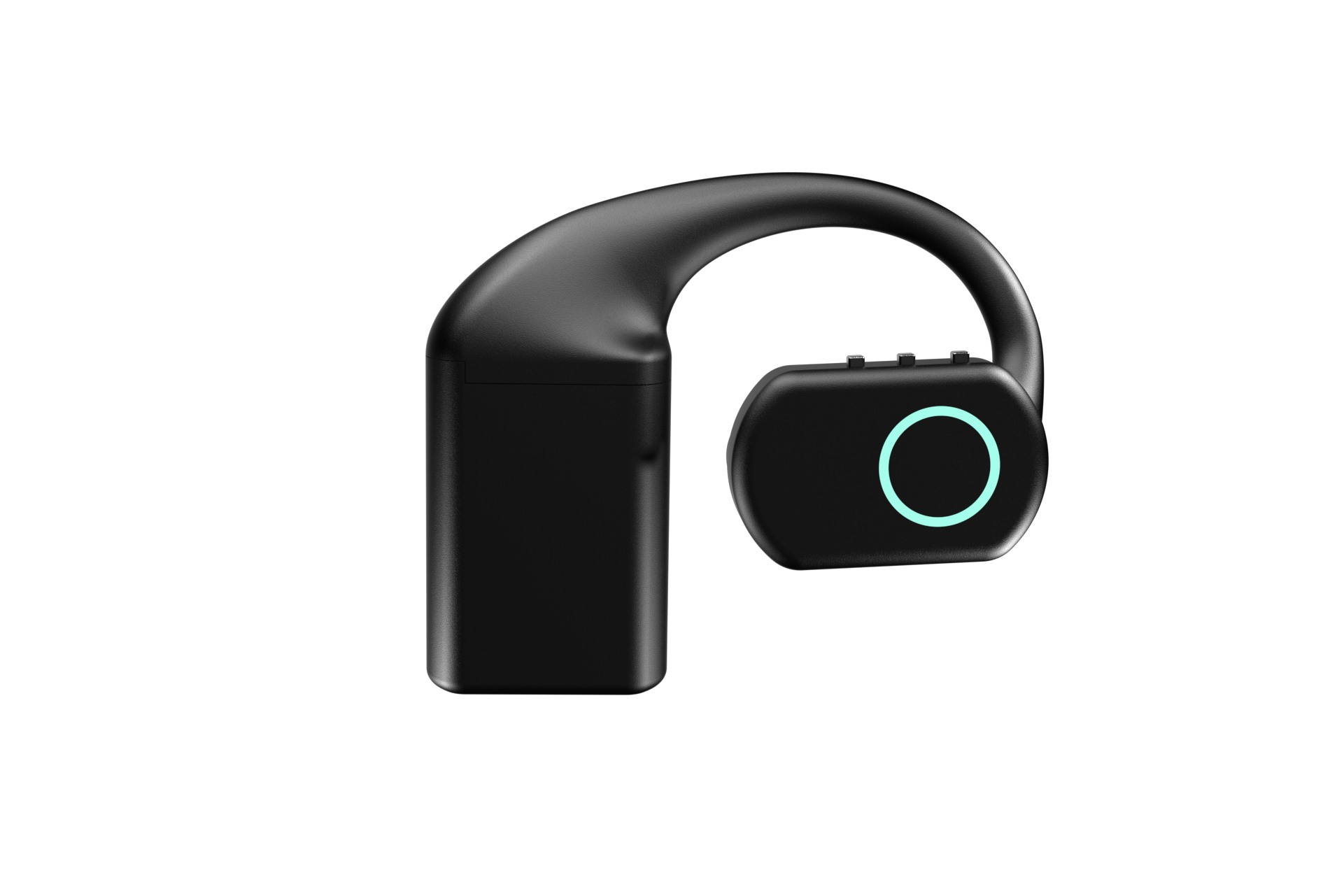
The QuickComm Earpiece is the wearable case at $220: an over-ear unit with a MEMS mic, an integrated speaker, an RGB LED, three physical buttons and no touch surface, so it can be operated without being looked at. Power comes from three hot-swap 700 mAh packs, about 8 hours each and about 24 hours combined, with a charging dock that holds its own charge, which suits somebody moving around a site where sockets are not a given.
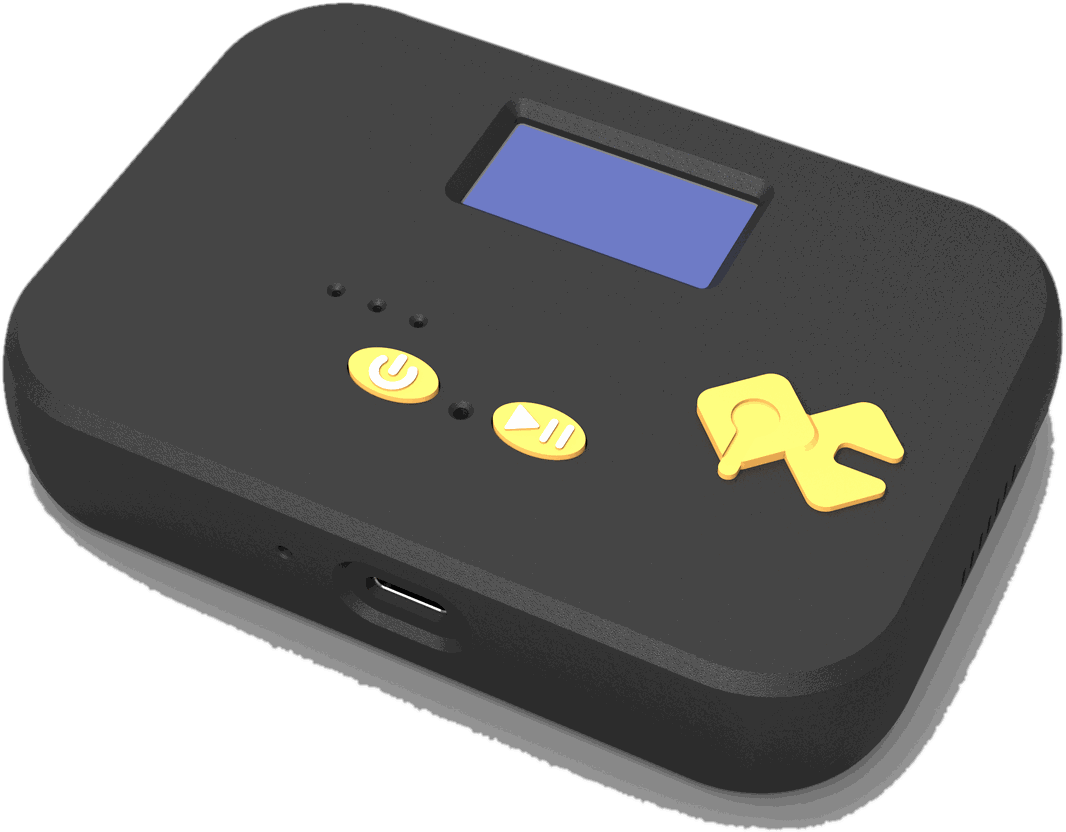
The QuickComm Table Top is the fixed case at $90: a desk or wall unit with a mic tuned for table distance, two physical buttons, an LED, a speaker, a 1000 mAh internal battery and USB-C. An on-device display shows network, firmware and assignment, and on a self-hosted network that display saves a great deal of guessing when your endpoint is a server you maintain yourself.
What this hardware does not do
- There is no model of any kind running on the device. Voice activity detection is on-device, and recognition, models and speech generation all run on your backend.
- The hardware supplies no models, so nothing about language coverage or accuracy comes from the device.
- Wi-Fi is 802.11 b/g/n on 2.4 GHz only, and capture is 16 kHz mono PCM only, which is right for speech and not for music or archival masters.
- There is no claimed ingress protection rating, and physical damage falls outside the 12-month warranty.
- You own the backend, its uptime, its storage and its retention policy, and audio quality follows the source you point the device at.
- Provisioning and firmware updates expect connectivity even though the audio path does not.
A single developer testing an idea should not buy this hardware. A laptop microphone and a hosted API will get that person further in a weekend than any local build will, and dedicated capture earns its place only when audio has to come from somewhere a laptop cannot sit, or when the rule about audio staying inside the network is genuinely non-negotiable.
Common questions
Can a local voice AI setup run with no internet at all?
The audio path can, provided the configured endpoint is a server on your own LAN, because a configured QuickComm device streams there directly and does not depend on the console to operate. Provisioning by QR code and OTA firmware updates are the parts that expect a connection. Plenty of teams provision on a connected segment and then move devices to an isolated one.
Does BLE or Wi-Fi make more sense for a local build?
BLE handles the short hop from a wearable to a machine already in the room, and Wi-Fi handles a fixed unit talking straight to a LAN address. QuickComm devices carry both, with Bluetooth 5.2 and 802.11 b/g/n on 2.4 GHz, so the choice follows the deployment rather than the product. Wearables tend to lean on the local link and fixed units on the network.
Which local models work with this hardware?
All of them, because the device has no opinion about what receives the audio. What arrives at your endpoint is 16 kHz mono PCM over udp-v1, which a local Whisper build, an Ollama model, Deepgram, OpenAI Realtime or ElevenLabs can each be wired to accept. Swapping any of those later changes your backend and leaves the devices untouched.
Is a hybrid design acceptable, or does local mean everything?
A hybrid is a legitimate design rather than a compromise. Many teams keep one class of conversation entirely on the LAN and send the rest to a hosted model, pointing different devices at different endpoints to do it. Make the split deliberate, write it down, and make sure the people in each room know which side of it they are on.
Where to look next
The Earpiece page covers the wearable at $220 and the Table Top page covers the fixed unit at $90, both built to order and shipped worldwide in 10 days. There are no per-channel fees and no platform lock-in, so after setup the device talks to your endpoint and that is the whole of the relationship.
The builders community on Slack is where people compare notes on running these against local stacks, including which models cope with which rooms. Anyone still deciding between a fixed unit and a wearable will learn more there than from a purchase order.